
You Are Reading a Feature List, Not a Working Feature
You open the Odoo 19 release notes. The AI section is long. Odoo's new AI agents can "learn from your documents and perform actions." A livechat agent finds leads on its own. ChatGPT 5.0 is now an AI option. Or you can use your own Gemini account, if you prefer. Voice transcription turns a meeting into a summary. It reads well. It also reads like every other vendor's AI page right now, and you have learned to be careful about those.
So here is the real question. Can your team actually use Odoo's AI agents today? Or is this a feature list that will be good in a year, but is just present right now? That is not a cynical question. It is the right one to ask before you turn anything on.
Why It Is Hard to Tell From the Outside (Odoo AI Reviews Are Still Thin)
Every software vendor added an "AI" section to its release notes in the last two years. The quality gap between them is huge. Some of it is a thin chat box. Some of it is real, useful automation. A release notes page cannot show you which one you are looking at. A bullet point looks the same either way.
Odoo's problem right now is timing. These agents are brand new. They shipped with Odoo 19. The two places you would normally check a vendor's claims, review sites and your own network, have not caught up yet. That is not a guess. We checked the review sites ourselves. Some reviewers on G2 and TrustRadius say they use Odoo's AI features. But almost none of the written reviews say what those features are actually like to use. You are early. The market has not weighed in yet.
Two Odoo 19 AI Features That Actually Save You Work
Most of the AI section is agents you talk to. Two smaller features matter more, because they remove real work instead of just adding a chat box.
AI Fields: No-Code Field Population
Odoo has always let you show a short summary built from a few other fields, like a total or a status line. Until now, that meant paying a developer to write and maintain custom code. In Odoo 19, you can set it up yourself. Pick the fields you want, describe in plain words what the summary should say, and Odoo writes it. No code, no developer ticket for something small.
Prompt-Based Automation Rules
The same idea applies to automation. Setting up a rule like "when this changes, do that" used to mean clicking through Odoo's builder carefully, or paying for custom code. Now you can just describe the rule in a sentence. For example: "move every open deal closing in the next 7 days into Negotiation." Odoo builds the rule for you. You still need to check it works the way you meant, the same way you would check a new employee's first attempt at something. But you start from a sentence, not a support ticket.
Both features matter more than the flashier agents, because you can use them yourself, the day you think of them, instead of waiting for whoever holds the admin login. Add agents you can train on your own documents, like your product catalog or your internal instructions, and the standard system is now doing work that used to need a custom integration or a developer on retainer.
What Is Coming: Odoo 20 and the MCP AI Standard
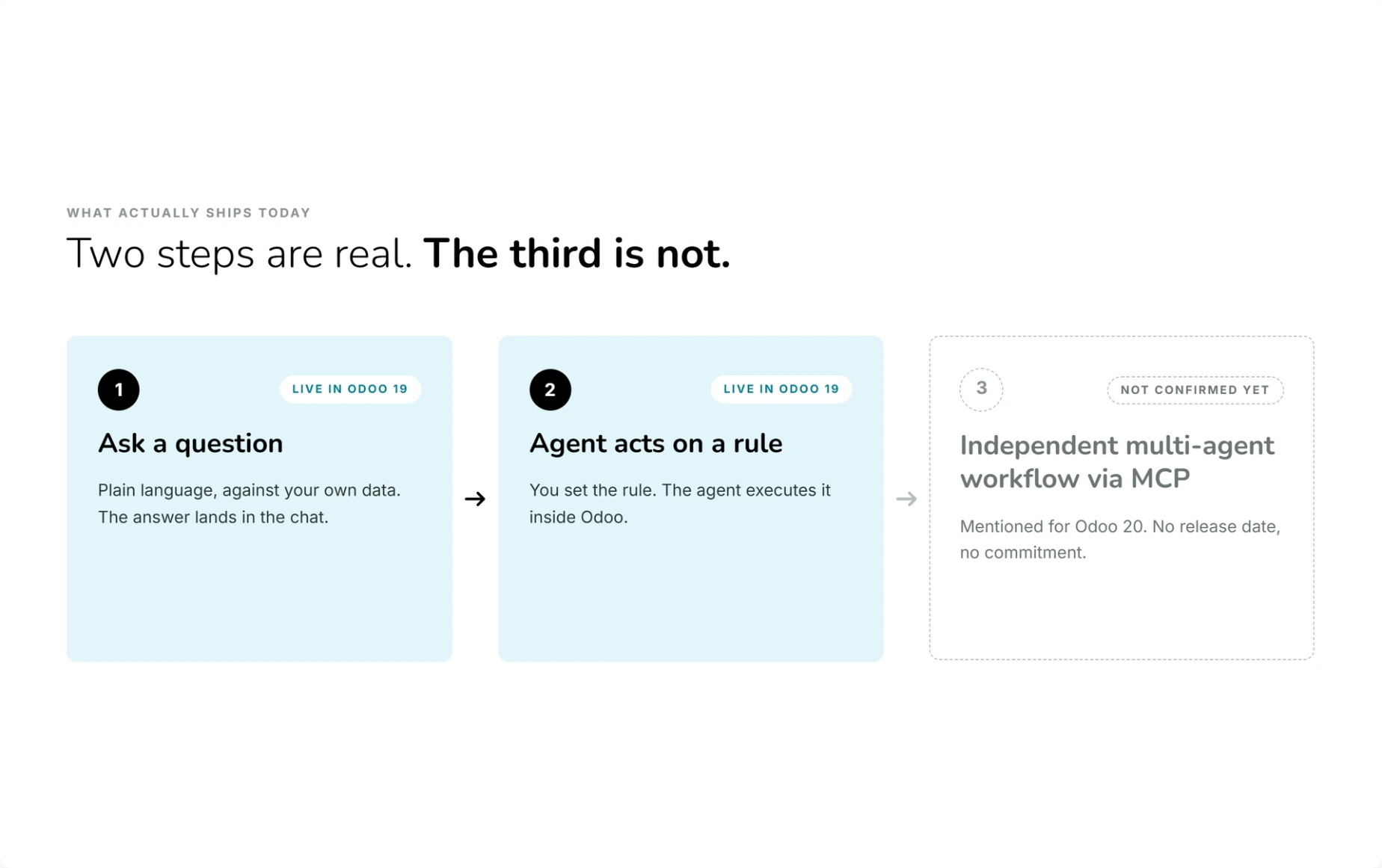
Odoo 20 is not out yet. Treat this as a direction, not something you can plan a project around today. Right now, every AI feature in Odoo reacts to something. You ask a question, or you set a rule and it fires when a condition is met. The direction Odoo seems to be heading is more independent AI. Instead of "write me a draft email," something closer to: "notice this stock shortage, contact our usual supplier, compare their price to a backup supplier, and prepare a purchase order for someone to approve."
The technical piece behind that idea is called MCP, short for Model Context Protocol. It is a standard way for an outside AI tool to talk safely to an app's data and actions, instead of a one-off custom connection built just for that app. It is a real topic across the whole software industry right now, not something Odoo invented. Will Odoo actually build full MCP support? That is not confirmed yet. Odoo's own public code shows one attempt: a pull request that added MCP login support, opened in June 2026 and closed a few weeks later without being used. That tells you two things. Odoo's engineers are testing the idea. And it was not ready to ship, at least not yet. Treat any specific claim about Odoo 20's AI as unconfirmed until Odoo says so directly. But do not be surprised if this is where things go next.
How to Actually Test Whether an Odoo AI Agent Is Useful
- Separate the AI provider from the AI feature.
- Odoo 19's biggest change is that agents now run on a provider you pick: ChatGPT 5.0, or your own Gemini account. That is a good, flexible choice, because Odoo is not locking you into one model. But it also means the AI feature is not automatically part of your Odoo bill, the way a normal report is. Check what an account with your chosen provider actually costs before you assume it comes free with Odoo.
- Test it on your worst data, not the demo data.
- An agent that reads clean, tidy files in a demo will look great. Your real product descriptions, your real customer emails, your real half-finished supplier documents are the honest test. If it still works well on your data, you can trust that result. If it only works on tidy data, now you know exactly where the limit is.
- Check what is still being fixed.
- Odoo builds in the open, so you can see exactly what the engineering team is patching right now, not just what the marketing page says. As of this article, recent fixes to the AI livechat and AI agent code include a chat window popping back up after being closed, an "Ask a Human" button that shows up even when no human is set up to answer it, and a bug where asking the agent to jump to a new screen could break the screen still open underneath. None of that is alarming. It is exactly what active work on a new feature looks like. It does tell you the feature is still being smoothed out, so go carefully with anything that talks to your customers on day one.
- Do not treat the sales page as the review.
- Odoo's release notes are a fair summary of what the feature is meant to do. They do not tell you how well it does it. Go looking for real, independent evidence. If you cannot find much, and right now, that is the honest state of things for Odoo's AI agents, treat that gap as useful information. Do not fill it in with optimism.
- Start with one small, low-risk task.
- A livechat agent that qualifies a lead and then hands off to a person is a safe, contained test. An agent with the power to change your inventory or your invoices is not where you start. Pick something you can fully undo if it goes wrong, and start there.
The Part That Trips People Up: AI Provider Costs and Permissions
Two things catch people who move fast. First, "bring your own AI provider" quietly turns into "bring your own AI bill." Nobody plans for a second subscription when the first one already says "AI included" on the pricing page. So ask directly: what does the provider account cost at the amount you would actually use it, and who pays for it. Second, an agent that "performs actions" is only as safe as the access you give it. An agent that can change a record will change the record, with full confidence and zero judgment about whether it should. Keep its permissions narrow before you hand over anything that writes to your database, not after something breaks.
The Honest Verdict on Odoo's AI
Odoo's AI is genuinely useful if you already understand how Odoo works. It makes what you know go further. It does not replace what you know. Use it to skip a small piece of custom code, build a rule from a sentence instead of a ticket, or draft the first version of an email or a summary, and it saves real hours, every week, quietly.
Point it at messy company data with no guardrails, and expect it to just figure your business out by itself, and it will fall short of the release notes. That is true for every AI feature from every vendor when you ask it to replace judgment instead of support it. Odoo has given you a capable assistant. Giving it clear instructions is still your job.
Quick Checklist Before You Rely on an Odoo AI Agent
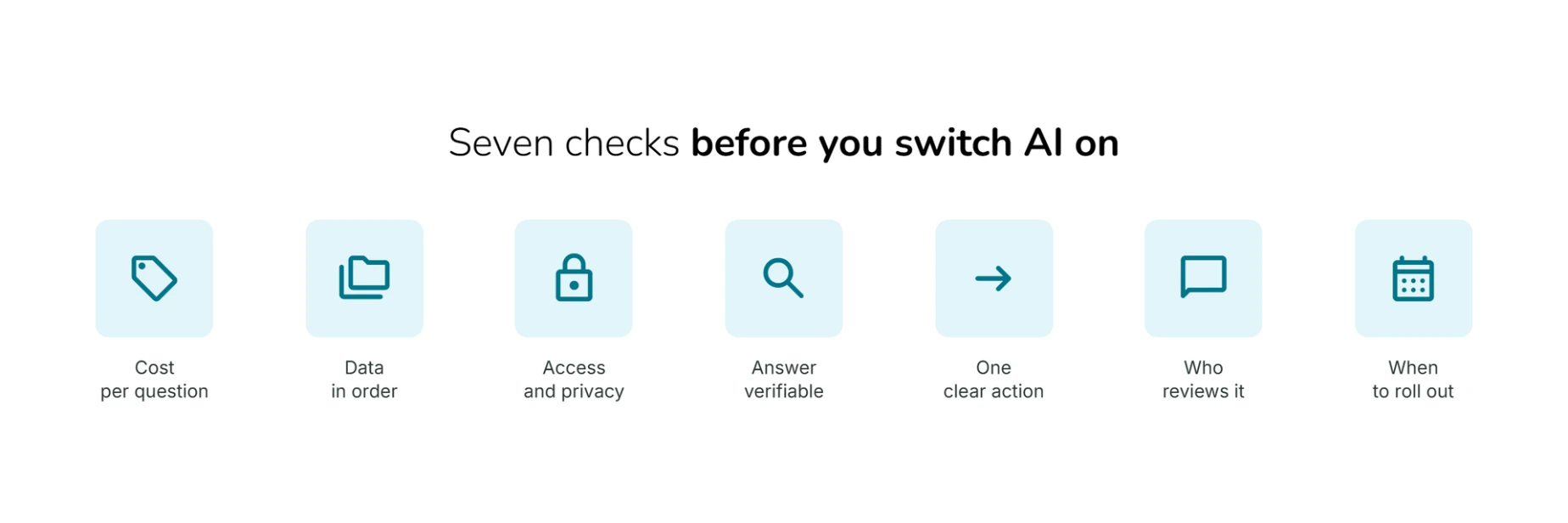
- Have you priced the actual provider account (ChatGPT 5.0 or Gemini), not just your Odoo subscription?
- Have you tested it on your real, messy data instead of demo data?
- Have you kept the agent's write access narrow, especially for anything customer-facing?
- Have you checked Odoo's own GitHub activity to see how recently this specific feature was touched?
- Have you started with one small, low-risk pilot instead of turning on every agent at once?
- Have you looked for independent user feedback, and treated the lack of it as a reason for care, not reassurance?
- Have you separated what is live today (AI fields, prompt-based rules, agents) from what is still just a direction for Odoo 20 (independent multi-agent workflows, MCP)?
When It Is Worth Getting an Odoo Implementation Partner
For one small, well-scoped pilot, like a livechat agent that qualifies leads before handing off to a person, you can reasonably set this up yourself. It gets harder exactly where the stakes go up: wiring a provider key correctly, keeping write access narrow so an agent cannot touch the wrong records, and building a real before-and-after comparison so you know if it is actually saving time or just moving the work around. That is where an experienced implementation partner earns the fee. Not by making the AI feature sound more finished than it is, but by helping you roll it out at the right pace.
dooPartners is a worldwide network of independent, certified Odoo partners. Wherever you are, there is a local member who knows the platform and can help you pilot this properly.
FAQ: Odoo AI Agents
- Is Odoo's new AI actually good, or is it just marketing?
- It is a mix. The underlying design of Odoo's AI agents (choosing your own AI provider, AI fields, prompt-based automation rules, agents that can look at your database or your documents) is real, and it works today. Whether any specific agent is good enough for your business is still something you have to test yourself, because independent reviews have not caught up with the feature yet.
- Do you need a ChatGPT or Gemini account to use Odoo's AI agents?
- Yes, in practice. Odoo 19 lets you connect ChatGPT 5.0 or your own Gemini account as the AI behind the agents. That usually means paying that provider directly, on top of your Odoo subscription. Check the real cost at the amount you would use it before assuming it is included.
- Will Odoo 20 add fully independent AI agents?
- That looks like the direction Odoo is heading, using a standard called MCP to let AI tools act on Odoo data more independently. It is not confirmed. Odoo's own public code shows an MCP-related change that was opened and then closed without being used in mid-2026. That means it is being actively tested, not shipped. Treat it as a signal of direction, not a feature to plan a project around yet.
- Is Odoo's AI ready to use in a real business today?
- For small, low-risk tasks, like drafting text, building an AI field, or qualifying leads in livechat, yes, once you run a proper pilot first. For anything that writes directly to sensitive records, treat it as new. Check recent GitHub activity on that specific feature, keep permissions tight, and expect to find a few rough edges.
- Where can I find real user feedback on Odoo's AI agents, not just Odoo's own claims?
- Right now, there is not much. As of this article, review sites like G2 and TrustRadius have very little real detail about Odoo's AI features, even from reviewers who say they use them. That will change as more people adopt it. Until then, your own pilot is the most reliable data you will get.