
The problem
It is Saturday, 11:00. The queue reaches the door. A cashier scans a yoghurt that expired yesterday, and the register says nothing. At the cheese counter, the weight is typed in by hand because the scale and the till do not talk to each other. At the shelf, a customer compares two jars of olives and only one shows a price per kilo.
Now you see a long list of "new in Odoo 20" point of sale features, and you wonder which of them would fix a Saturday like this. You also wonder whether you need Odoo 20 to get them.
Here is the catch. Lists like this mix three things: features that are new, features Odoo already had, and features that live in a part of Odoo you cannot check. If you treat the whole list as a shopping list, you may wait for an upgrade you did not need, or budget for something that does not exist yet.
New at the register
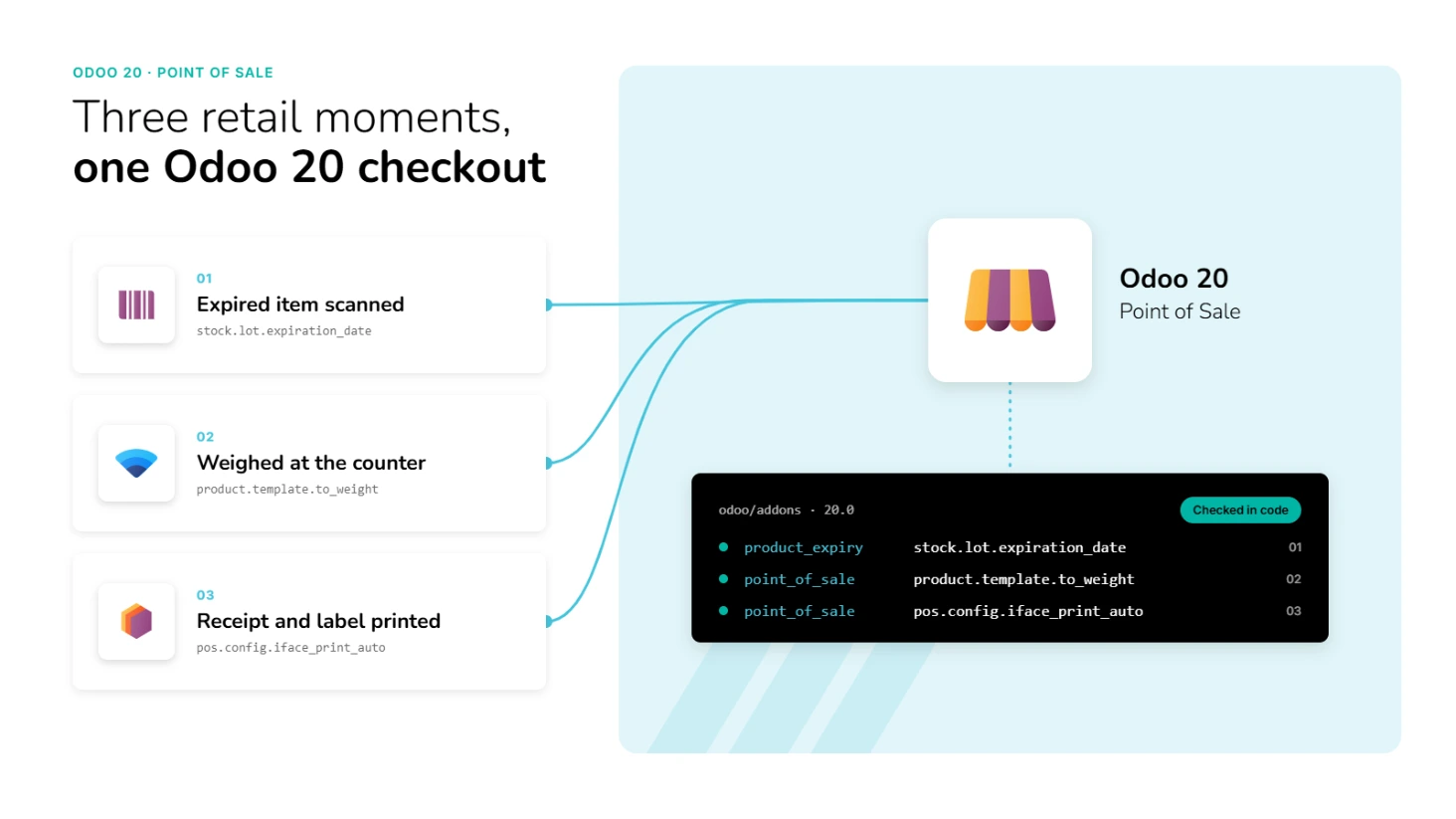
Warnings for expired lots and serial numbers. If you track lots or serial numbers with expiry dates, selecting an expired one at the register shows a "Lot/Serial ... is expired" notice. It is a notification, not a hard stop, so your cashier can still sell the item. It only works when your lots carry expiry dates.
Drag product tiles to sort them. The product grid on the register can now be sorted by dragging tiles. Odoo 19's code has no drag sorting there. In a shop, that lets you put your bestsellers where your cashiers expect them.
A reference price per unit. A new setting adds a reference price per unit of measure next to the sale price, for example per kilo. Whether it prints on your shelf labels was not confirmed.
A question about prices at first start. When a company has no accounting entries and no point of sale session yet, opening a register for the first time now asks how you want to display prices, with or without tax, and shows an example calculation. Odoo 19's code has no such step. Settle it with your accountant before the first session.
New for scales and printers
An electronic scale connected through the browser. Odoo 19 already had a scale screen. Odoo 20 adds a Web Serial scale connection, in a new module called iot_webserial, so the register can read a weight from a serial scale straight through the browser. The code also handles tare and shows a message when the scale is over capacity or under zero. Web Serial is a browser feature, so test which browsers and scales your own shops use.
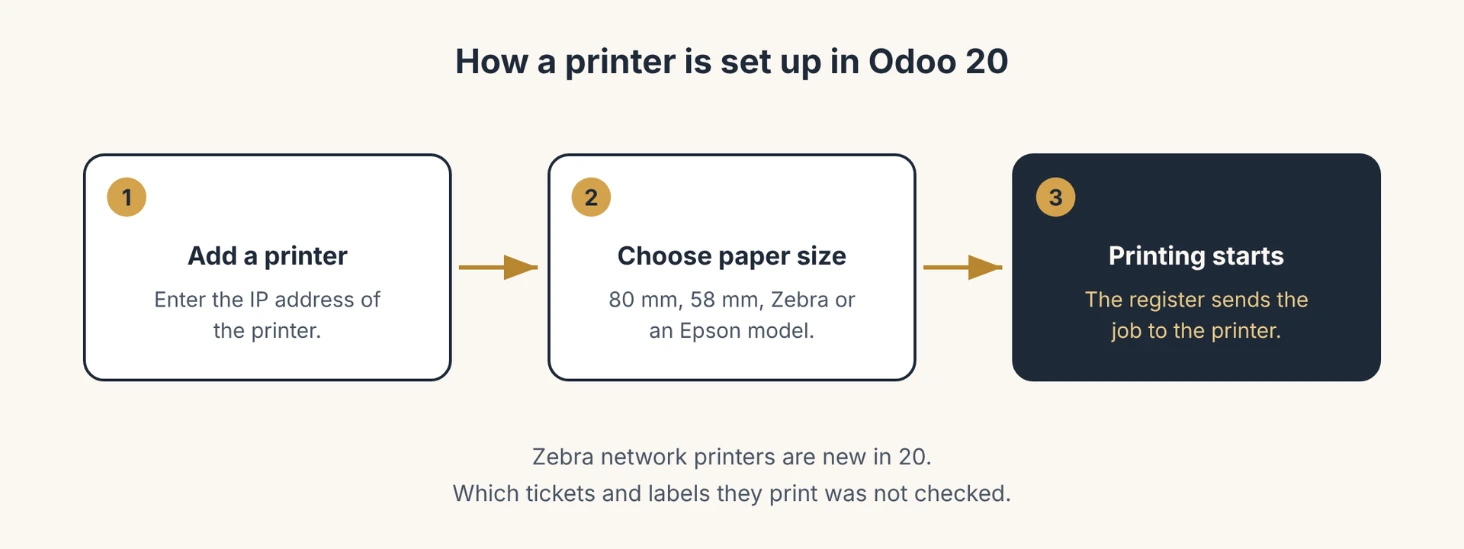
Zebra network printers and a paper size per printer. Each printer record now has a paper size field (80 mm, 58 mm, a Zebra size or an Epson model), and the printer setup mentions the IP address of a Zebra network printer. Odoo 19's code has neither. Which tickets and labels a Zebra printer prints was not checked, so test it with your own label printer.
What is not new, or not confirmed
Three items on the list going around are already in Odoo 19's code: refunding a card payment through Stripe from the register, the QR code on the receipt that lets customers fetch their own invoice, and the browser permission handling for local network devices such as printers. They may have been improved in Odoo 20. The code just does not show them as new.
What changes under the hood
Two changes in the public code matter if your partner built custom work for you.
First, the stock logic of the point of sale now sits in its own module, pos_stock, which installs automatically next to stock accounting. Odoo 19 has no module with that name. Custom code that builds on the stock behaviour of the point of sale should be checked.
Second, receipts are built from new receipt template files in several point of sale modules. If you customised your receipt, plan a re-test.
How to test it before you plan around it
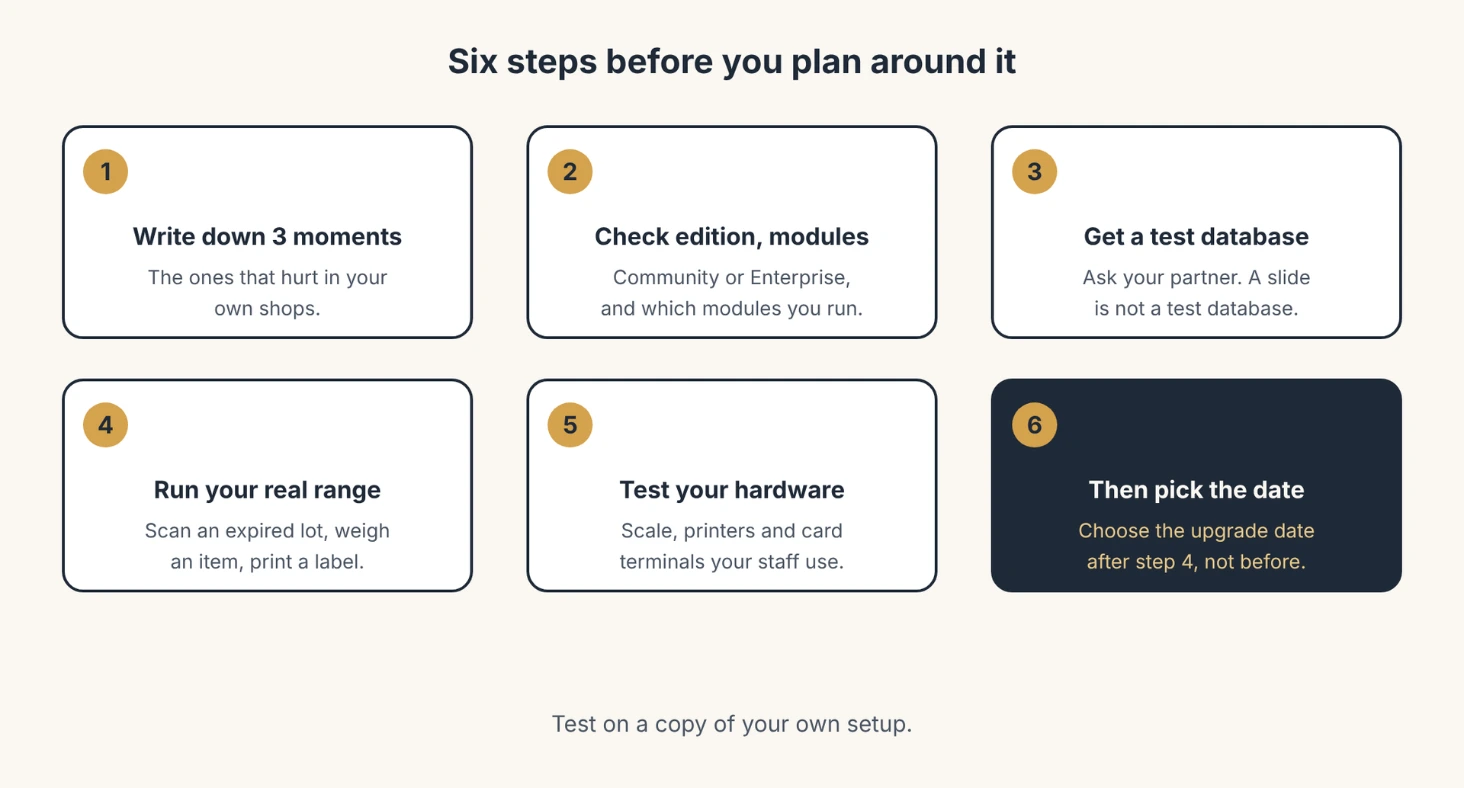
- Write down the three moments that hurt in your own shops. Expired stock, weighed items, labels and receipts. Judge Odoo 20 against those, not against the full list.
- Check your edition and your modules. Open Settings > General Settings to see whether you run Community or Enterprise. Some of the features above need optional modules, such as product expiry.
- Ask your partner for an Odoo 20 test database, not a slide. A branch existing in public does not mean it is ready for your hosting.
- Run your real product range through it. Scan one expired lot, weigh one item, print one receipt and one label.
- Test with the hardware your staff will use. Your scale, receipt printer, label printer, card terminal and the browser on your tablets. Hardware is where point of sale projects stall.
- Pick the upgrade date after step 4, not before. Good news from a test database is worth more than a long list.
The part that trips people up
Code that exists is not the same as a feature you can use on your plan. Test on a copy of your own setup.
Browsers keep changing the rules for local devices. Printers, card terminals and scales depend on permissions inside the browser, so a different browser or a new version can break a setup that worked yesterday.
Finally, Community code is only half the picture. Enterprise code is private, so an absence in public code is a reason to ask your partner, not proof that a feature does not exist.
Quick checklist before you upgrade your point of sale
- List the three shop problems you want to fix.
- Confirm your edition and which optional modules you have.
- Ask your partner for an Odoo 20 test database.
- Test expiry warnings, your scale and your labels with your own data.
- Test your printers, scales and card terminals in the browser your staff use.
- Check any custom receipts or custom stock code before you commit to a date.
- Treat anything not found in public code as reported until your partner shows it.
When to get a partner
You can try most of this yourself in a test database. Where it gets hard is the mix of hardware, browser settings, product pricing and edition limits in your own setup. That is where a local partner earns the fee: not by reading you the feature list, but by showing it working with your products, your scales and your printers.
dooPartners is a worldwide network of independent, certified Odoo partners. Wherever you run your shops, there is a partner near you who can test Odoo 20's point of sale with you, on your own data.
FAQ
- What is new in the Odoo 20 point of sale for retail?
- The public code shows warnings for expired lots and serial numbers, draggable product tiles, a reference price per unit, a price display question on first start, a scale connection through the browser, Zebra network printer support and a paper size per printer. Each of these is absent from Odoo 19's code. Some items on the circulating list, such as Stripe refunds and the receipt QR code, were already in Odoo 19.
- Does the Odoo 20 point of sale warn about expired lots at the till?
- Yes, as a notification. Selecting a lot or serial number past its expiry date shows "Lot/Serial ... is expired". It does not block the sale, and it only works when your lots have expiry dates.
- Can the Odoo 20 point of sale read an electronic scale?
- Odoo 19 already had a scale screen. Odoo 20's public code adds a Web Serial scale connection, so the register can read the weight from a serial scale through the browser, including tare and messages for over capacity or under zero. Check that your scale and your browser work together before you plan around it.
- Does Odoo 20 send receipts through WhatsApp?
- Not confirmed. No WhatsApp feature could be found in Odoo's public code. It may be Enterprise-only, which is private, or not shipped yet, so ask your partner to show it working before you plan around it. SMS receipts were already in Odoo 19.
- Does Odoo 20 also add restaurant features?
- Yes. The public code shows snooze for sold-out products, combo suggestions, courses linked to menu categories and a customer note for self-ordering. This article leaves them out because it is about shops.
- Is Odoo 20 released yet?
- The code is branched: the public 20.0 branch exists and development has moved on to 20.1. A general availability date could not be confirmed from Odoo's own site, so ask your partner whether Odoo 20 is available for your hosting.